
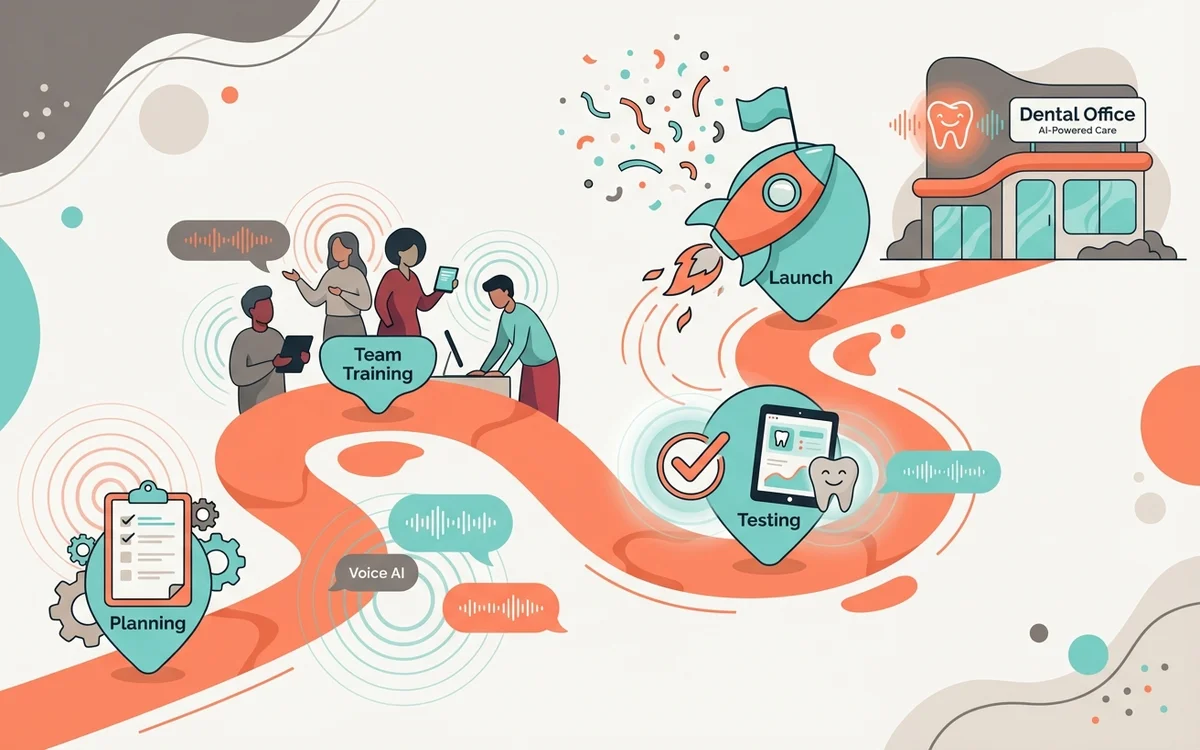
Making AI Work for Your Practice
Thinking of adopting AI in your dental practice? The idea of an AI receptionist, like GetHelpdesk.ai, can be exciting—promising enhanced efficiency and patient convenience. However, integrating any new technology requires careful planning and execution. A smooth transition is key to maximizing the benefits of this powerful tool and ensuring its adoption by both your team and your patients.
At GetHelpdesk.ai, we’ve guided hundreds of practices through this process, and we’ve identified several key strategies for success. Research from Harvard Business Review shows that technology implementations succeed or fail based largely on change management, not the technology itself.
Our goal is to help you achieve a seamless implementation, allowing your practice to truly thrive with the support of AI.
7 Essential Tips for Successful AI Implementation
1. Involve Your Team from the Start
Your front desk staff are the heartbeat of your practice. They’re the first point of contact for your patients and essential to your daily operations. When introducing an AI receptionist, it’s crucial to involve them early in the process.
Why this matters:
- Staff who feel consulted are more likely to embrace change
- Front desk employees know pain points that AI should address
- Early involvement turns potential resisters into champions
How to do it:
- Hold a team meeting to introduce the concept before any decisions
- Ask staff about their biggest time wasters and frustrations
- Emphasize that AI is a “co-pilot,” not a replacement
- Share how AI will enhance—not diminish—their roles
- Address concerns honestly and invite ongoing feedback
When staff understand that AI handles the repetitive calls so they can focus on meaningful patient interactions, resistance typically transforms into enthusiasm.
2. Choose the Right AI Partner
Not all AI solutions are created equal. Choosing a partner who understands the specific needs of dental practices is essential.
What to look for:
| Feature | Why It Matters |
|---|---|
| Dental specialization | Understands terminology, workflows, common patient questions |
| PMS integration | Connects with Open Dental, Dentrix, Eaglesoft |
| HIPAA compliance | Non-negotiable for healthcare |
| Customization options | Adapts to your specific practice needs |
| Responsive support | Available when you need help |
A specialized AI ensures smooth communication and operational efficiency right out of the gate. Generic AI solutions often struggle with dental-specific scenarios.
3. Provide Comprehensive Training
Even the most user-friendly technology needs proper onboarding. Don’t assume your team will “figure it out.”
Training should cover:
- What the AI can and cannot do
- How to monitor conversations in real-time
- When and how to take over for human intervention
- How to review and respond to AI-captured messages
- Dashboard navigation and reporting
With GetHelpdesk.ai, your team has access to an intuitive dashboard where they can view real-time conversations, take over when needed, and track interactions. Training should highlight where AI excels and when it’s appropriate for staff to jump in—building confidence and trust in the tool.
Pro tip: Designate an “AI Champion” on your team who becomes the go-to expert and can train new hires.
4. Communicate with Your Patients
Your patients’ perception of the AI will shape their experience and willingness to use it. Be proactive in announcing the new system and explaining how it benefits them.
Key messages to convey:
- 24/7 Availability: “You can now book appointments and get answers anytime, even on weekends and after hours”
- No More Hold Times: “Get instant answers to common questions without waiting”
- On-Demand Convenience: “Reach us on your terms, whenever it’s convenient for you”
- Still Personal: “Our team is always available for complex questions or if you prefer to speak with a person”
Communication channels to use:
- Website announcement or banner
- Email newsletter to existing patients
- Office signage in waiting area
- Social media posts
- In-person mentions during visits
Make it clear this change is designed to improve their experience, not replace your personal touch.
5. Start with a Phased Approach
Don’t overhaul everything at once. A gradual rollout reduces risk and builds confidence.
Recommended phases:
Week 1-2: After-Hours Only
- AI handles calls outside business hours and weekends
- Low risk—these calls currently go to voicemail anyway
- Immediate benefit—captures new patient inquiries
- Builds staff confidence as they see positive results
Week 3-4: Routine Daytime Calls
- Expand AI to handle FAQs during business hours (directions, hours, insurance questions)
- Staff monitors and can intervene easily
- Measure impact on call volume and staff time
Month 2+: Full Integration
- AI handles appointment scheduling and confirmations
- Full PMS integration enabled
- Staff focuses on complex matters and in-person care
This staged approach ensures a controlled, low-risk rollout that lets you course-correct along the way.
6. Set Clear Metrics and Goals
Define what success looks like before you start, so you can measure progress and demonstrate ROI.
Metrics to track:
- Call answer rate: Percentage of calls answered (aim for 95%+)
- After-hours capture: New patient inquiries captured outside business hours
- Staff time saved: Hours per week freed from routine calls
- No-show rate: Should decrease with automated reminders
- Patient satisfaction: Survey scores or feedback
- Booking conversion: Percentage of inquiries that become appointments
Review these metrics weekly during rollout, then monthly once stable.
7. Plan for Continuous Improvement
AI implementation isn’t “set and forget.” Build in regular reviews and optimization.
Ongoing activities:
- Weekly check-ins (first month) to address issues quickly
- Monthly reviews of AI performance and accuracy
- Quarterly optimization of AI responses based on common questions
- Staff feedback sessions to identify pain points
- Patient feedback collection and response
The best AI implementations evolve over time, becoming more accurate and valuable as you refine them.
Common Pitfalls to Avoid
Rushing the rollout: Trying to implement everything at once overwhelms staff and increases errors.
Skipping staff involvement: Imposing AI without input creates resistance and resentment.
Neglecting patient communication: Patients who are surprised by AI may feel depersonalized.
Forgetting the “why”: Keep reminding your team of the benefits—time saved, better patient experience, reduced stress.
Ignoring feedback: Early feedback identifies problems while they’re still easy to fix.
Key Takeaways
- Staff buy-in is critical—involve your team early and frame AI as a helper, not a threat
- Choose a dental-specialized AI that integrates with your existing systems
- Communicate proactively with patients about the benefits of AI
- Phase your rollout starting with after-hours calls before expanding
- Set measurable goals and track progress to demonstrate value
- Plan for ongoing optimization—AI gets better over time with refinement
Frequently Asked Questions
How long does a typical AI rollout take?
Most practices complete a full rollout in 4-6 weeks using the phased approach. Basic after-hours coverage can be running within days of signing up.
What if staff are resistant to AI?
Resistance usually stems from fear of job loss or change. Address this head-on: share that AI handles repetitive tasks so staff can do more fulfilling work. Involve resistant team members in testing and feedback—they often become the biggest advocates once they experience the benefits.
How do we handle patients who don’t want to interact with AI?
Always provide an option to reach a human. GetHelpdesk.ai makes it easy for patients to request a callback or be transferred to staff. Most patients quickly appreciate the convenience, but having options respects individual preferences.
What’s the biggest mistake practices make during AI rollout?
Not involving staff early enough. When AI is “announced” rather than “developed together,” resistance is much higher. Take the time to get input and address concerns before implementation.
Can we customize how the AI responds to patients?
Absolutely. GetHelpdesk.ai allows you to customize greetings, responses, and the overall tone to match your practice’s personality. We work with you during setup to ensure the AI represents your brand accurately.
Partner with GetHelpdesk.ai for a Seamless Transition
By following these essential tips, your AI rollout can become a powerful transformation—streamlining your operations while enhancing both staff satisfaction and patient experience.
At GetHelpdesk.ai, we specialize in smooth, stress-free implementation. From PMS integration to intuitive training and patient communication templates, we’re with you every step of the way.
👉 Schedule a demo with us today and discover how easy it can be to bring AI into your dental practice—confidently and successfully.
The future of dental practice management is here. Let’s make your transition seamless.
Related reading: most launch delays are decisions, not integrations. Assemble what to hand over before go-live before kickoff.
Related Posts
What to Hand Over Before Go-Live
An AI receptionist enforces your rules; it does not invent them. Here is the handover pack that turns setup into a transcription job instead of a series of guesses.

How AI Receptionist Pricing Actually Works
Per-minute, per-call, per-booking or flat. The models behave very differently on the same practice, and the headline number is rarely the bill.
AI Voice Agents for Dental Practices in 2026
What an AI voice agent actually is, how it differs from an IVR or a chatbot, and the three boundaries to write down before you turn one on.