
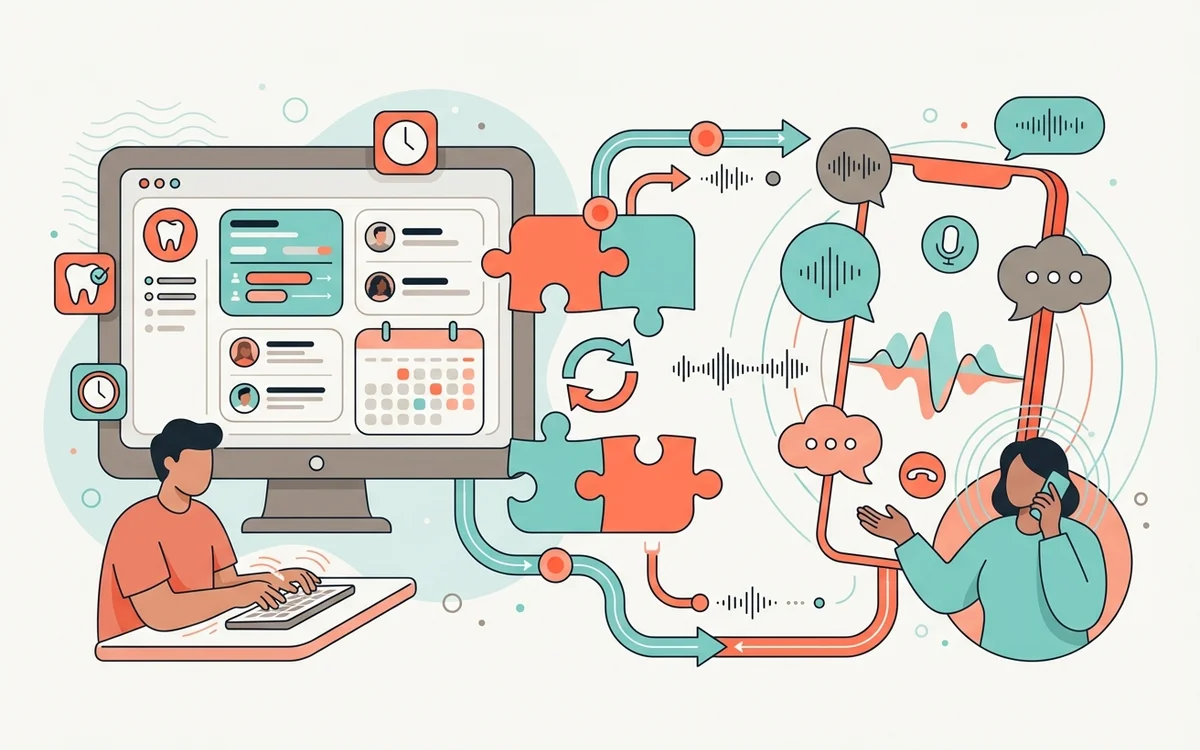
Integration: The Key to Unlocking AI’s Full Potential in Your Dental Practice
You’ve made the decision to modernize your dental front office with an AI receptionist—congratulations! It’s a smart move toward improving efficiency, reducing staff burnout, and delivering a better patient experience.
But here’s the critical piece many practices overlook: without seamless integration with your Practice Management System (PMS), your AI receptionist won’t reach its full potential.
Your PMS is the heart of your dental operations—managing everything from appointment scheduling and patient records to billing, insurance, and communication. To truly empower your team and streamline operations, your AI receptionist must work in lockstep with this core system.
At GetHelpdesk.ai, we’ve engineered our AI to integrate with leading dental PMS platforms like Open Dental, Dentrix, and Eaglesoft, ensuring a unified, real-time workflow. How the connection is made differs by system, and that difference decides how much the AI can safely do, so the sections below spell it out per platform. Dentrix ships in several editions that behave differently on the scheduling side, so start with which Dentrix your practice runs. Practices on a cloud platform instead should see which AI receptionist supports Denticon or CareStack.
Why PMS Integration Isn’t Optional—It’s Essential
Real-Time Scheduling and Updates
When a patient books an appointment through GetHelpdesk.ai, it’s not just a note on a separate calendar—it’s an action that’s instantly reflected in your PMS.
This real-time sync:
- Prevents double bookings and scheduling conflicts
- Eliminates manual data entry and human error
- Ensures every team member sees the same, up-to-date schedule
- Reduces patient wait times and confusion
No more toggling between systems or relying on sticky notes. Everything is accurate, centralized, and automated.
Access to Patient Records and Context
With secure, permission-based access to your PMS, our AI receptionist can reference relevant patient data in real time. That means it can:
- Confirm upcoming appointments with specific details
- Answer insurance-related questions accurately
- Personalize communication based on patient history
- Identify patients who are overdue for cleanings or follow-ups
The result? Intelligent, context-aware conversations that reduce call-backs, hold times, and confusion. Patients feel recognized and valued from the first interaction.
Streamlined Administrative Workflows
When AI and PMS systems are in sync, your team avoids the burden of double-handling information. They’re not copying notes between platforms or manually updating schedules.
This leads to:
- Fewer errors and data inconsistencies
- Less redundancy in daily tasks
- More time spent on high-value patient interactions
- Reduced staff burnout and turnover
A Single Source of Truth
Your PMS should always be the central record of truth. Our AI receptionist doesn’t override it—it enhances it.
By functioning as a front-line assistant connected directly to your PMS, GetHelpdesk.ai:
- Maintains data integrity across all touchpoints
- Supports HIPAA compliance with secure data handling
- Ensures all patient data remains centralized and consistent
- Leaves a written transcript and summary for every call
The AI’s job stops at the front desk. It does not do clinical charting, imaging or claims, and nothing about your clinical workflow changes.
How the Connection Works on Each Platform
GetHelpdesk.ai has dedicated integrations for 16 practice management systems, and each has its own page stating what is supported. The three most common work differently, because the PMS vendors expose very different doors.
Open Dental: the documented API
Open Dental publishes a full REST API with endpoints for finding open slots, booking, rescheduling, breaking and confirming appointments. GetHelpdesk.ai is listed on Open Dental’s own vendor register as an Authorized integration, which means it writes through the API and never directly into the database. The API can run locally, as an API Service on your database server, or remotely, with automatic fallback between them.
Dentrix: an on-premise component
Dentrix by Henry Schein One is an on-premise application, and its API is designed for on-premise integrations. A cloud service therefore installs a small local component in your office, set up through the Dentrix Developer Program. Availability is read as data rather than from the visual grid, so a hidden appointment can’t be overwritten, and bookings respect your operatories, providers and Perfect Day blocks. Dentrix Ascend and Dentrix Enterprise are separate products with separate integrations.
Eaglesoft: through Patterson’s authorized route
Patterson’s Eaglesoft is reached through the Patterson API Server on your Eaglesoft Server, via Patterson Innovation Connection. The API supports version 18 and above, and installs automatically from 19.1. Chairs in Eaglesoft often represent providers rather than rooms, so we map that with you before go-live. The AI also identifies callers by phone number, which Eaglesoft cannot do on its own. Whether the schedule is read and written automatically is confirmed against your version at setup rather than assumed.
What Seamless Integration Looks Like
Here’s what you can expect when GetHelpdesk.ai is properly integrated with your PMS:
- ✅ A dedicated integration for your platform, included in the plan at no extra cost
- 🔧 Custom configuration of your operatories, providers, appointment types and scheduling rules
- 🔒 HIPAA-compliant data exchange, encrypted in transit and at rest
- 🔁 Bookings written to your system of record on the call, not into a separate calendar
- 🧩 Zero disruption—your number stays the same and your team keeps working in the PMS as before
Whether you’re a solo provider or managing multiple locations, including DSOs, the same approach applies.
Questions to Ask When Evaluating AI-PMS Integration
Not all AI reception solutions are created equal. Before committing to any solution, ask:
- Does this AI integrate natively with my specific PMS?
- Is syncing real-time, or does it require manual updates or batch processing?
- How is data privacy and HIPAA compliance handled?
- Will my team need to learn a completely new system?
- What happens if the integration fails—is there a fallback?
With GetHelpdesk.ai, the answers are checkable: the connection method for your PMS is published on its integration page, your team keeps working in the PMS they already know, and the AI keeps answering calls even when your server or workstations are down.
Don’t Settle for a Siloed System
A disconnected AI receptionist is just another tool to manage—and potentially a source of frustration. Without proper integration, you risk:
- Double bookings and scheduling errors
- Outdated patient information
- Staff spending more time fixing AI mistakes than saving time
- Patient frustration from inconsistent experiences
But with true integration, your AI becomes a powerful productivity engine, extending the capabilities of your PMS and your team.
GetHelpdesk.ai isn’t just another assistant—it’s a strategic partner built to elevate your operations from day one.
Key Takeaways
- PMS integration is essential, not optional—without it, AI creates more work, not less
- Real-time syncing prevents double bookings, eliminates manual entry, and keeps your entire team aligned
- Patient context from your PMS enables smarter, more personalized AI conversations
- HIPAA compliance requires secure data exchange between AI and PMS systems
- Choose an AI partner that specializes in dental and supports your specific PMS platform
Frequently Asked Questions
How long does PMS integration take to set up?
Most practices are live within 5-7 days from kickoff. Our team handles the technical configuration, including mapping your operatories, providers and appointment types, and we provide training to ensure your staff is comfortable with the new workflow.
Will integration slow down my PMS system?
No. GetHelpdesk.ai talks to your PMS through its published API or authorized partner route, and the Open Dental Local API and API Service run inside your network without throttling. Your team keeps working in the PMS exactly as before.
What if my PMS isn’t listed—can you still integrate?
Check the integrations page first, since 16 systems are covered, including iDentalSoft, Denticon, Cloud 9 and Curve Hero. If yours isn’t there, contact us to discuss custom integration options.
Is my patient data safe during integration?
Protected health information is encrypted in transit and at rest, and access is restricted through role-based controls. We sign a Business Associate Agreement (BAA) with your practice before the first live call.
Can I control what data the AI can access?
Yes. You have granular control over permissions. Many practices start with appointment-only access and expand as they become comfortable with the system.
Ready to See Seamless Integration in Action?
Don’t guess—see the difference for yourself.
👉 Book a demo with GetHelpdesk.ai to discover how easily and effectively our AI receptionist connects with your Practice Management System—and how that integration can elevate your practice’s efficiency, patient experience, and bottom line.
Smarter workflows. Happier staff. More satisfied patients. It all starts with seamless integration—only with GetHelpdesk.ai.
Related reading: what to hand over before go-live, including how to confirm which edition of your practice management system you actually run.
Related Posts

How AI Receptionist Pricing Actually Works
Pull four numbers from last month's call log and price every quote against them. Twenty minutes that makes AI receptionist pricing comparable.
AI Voice Agents for Dental Practices in 2026
How a dental AI voice agent differs from voicemail, IVR, chatbots and answering services, plus five test calls and a launch checklist to run before go-live.
Dental Call Overflow: A Front-Desk Playbook
What a backup system should handle when the front desk cannot answer — the four rules to set before launch, five test calls, and a weekly scorecard.